
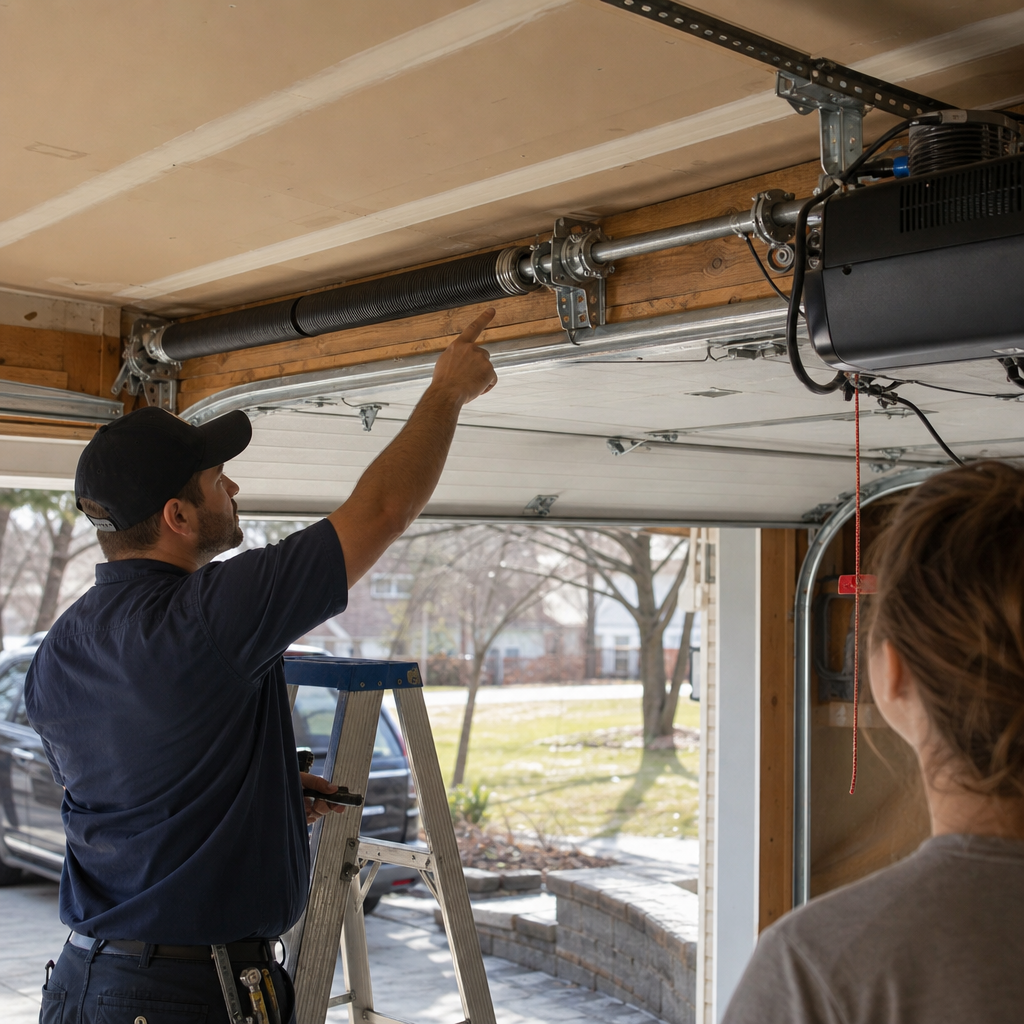
How to Program a Garage Door Opener in Lowell, MA — From Standard Remotes to Mill-Loft Smart Setups
Programming a garage door opener takes about 90 seconds on most modern systems: press the “Learn” button on the motor unit until the LED lights, press the button on your remote within 30 seconds, and wait for the light to blink or click to confirm. If you’re in a Belvidere ranch with a LiftMaster from 2019, that’s usually the end of the story. But if you’re in a converted Boott Mills loft, a triple-decker in the Acre with a rear garage added in 1962, or working with an opener that’s seen more than a decade of Lowell’s freeze-thaw cycles, the straightforward version probably doesn’t apply to you. For same-day help when the learn button won’t cooperate, call Pinnacle Garage Door Installation Lowell at (866) 606-2710 — we’ll walk you through it or come sort it out.

Charles Rodriguez grew up in Centralville and learned the mechanical side of this trade through the Building Trades program at Middlesex Community College in Lowell, where hands-on work clicked in a way classroom lectures never quite did. For over eleven years, he’s been the guy Lowell homeowners call when an opener fails mid-January or a spring snaps at 7 a.m., and he’s built a 4.9-star reputation across 252 reviews by diagnosing problems fast and explaining the fix in plain English. If I wouldn’t put it on my own garage, I’m not putting it on yours.
Why “Standard” Programming Guides Often Fail in Lowell Homes
Most online tutorials assume you’re standing in a suburban attached garage with 8 feet of headroom, a current-model opener, and a remote that matches the brand. Lowell’s housing reality breaks that assumption in three specific ways.
First, the triple-decker corridors in the Acre, Back Central, and Lower Centralville neighborhoods were built between 1880 and 1930 without garages at all. The small detached structures tacked onto rear yards mid-century typically have only 6’6″ to 7 feet of headroom — enough to force older, smaller opener models that don’t appear in current manufacturer guides. We’ve found Craftsman 139.x series openers from the 1990s still running in these spaces because nothing newer fits without raising the roof or shortening the door track.
Second, the Boott Mills and Hamilton Canal district conversions present an opposite problem: oversized freight openings and loading-dock bays retrofitted into residential garage doors. These often got paired with commercial-grade LiftMaster or Raynor operators programmed through entirely different sequences than residential models, and the original installation documentation rarely travels with the property deed.
Third, Lowell’s position in the Merrimack River valley — with over 50 inches of annual snow and some of the region’s most aggressive freeze-thaw cycling — degrades opener electronics faster than coastal climates. A learn button board that’s worked for 12 years can fail suddenly in January, and the symptom looks exactly like a programming problem when it’s actually a hardware replacement.
Brand-Specific Programming Steps for the Openers We See Most in Lowell
Below are the four opener families we encounter most often across Lowell’s varied housing stock, with the exact button sequences that work. Before you start, locate your opener’s motor unit — that’s the box hanging from the ceiling or mounted on the wall — and find the “Learn,” “Smart,” or “Program” button, usually colored purple, red, orange, yellow, or green depending on the model year.
LiftMaster 893MAX and 895MAX Series (Common in Belvidere and Upper Highlands)
These are the most frequent openers in Lowell’s mid-20th-century single-family homes, particularly in Belvidere where the housing stock is newer and garage headroom hits standard 8-foot heights.
- Press and release the “Learn” button on the motor unit — the LED will glow steadily for 30 seconds.
- Within that window, press and hold the button on your 893MAX or 895MAX remote that you want to program.
- Release when the motor unit light blinks or you hear two clicks.
- Test immediately — if the door doesn’t respond, the remote may be on the wrong frequency (these remotes cover both 315 MHz and 390 MHz; check the color of your original learn button to confirm).
For myQ smart home integration — critical if you’re in a mill-loft conversion where the garage sits two floors below your unit and you can’t physically check whether you closed it — download the myQ app, create an account, and add the Wi-Fi hub serial number. The hub pairs to your home network, not directly to the opener, which is the step most guides skip. Without the hub, your phone can’t talk to the motor unit.
Chamberlain B550 (Mid-Range Installs, 2015–2023)
The B550 uses a yellow learn button and rolling-code encryption, which means every press sends a unique signal. This is more secure than the fixed-code systems in pre-1993 openers, but the programming sequence differs slightly:
- Press and hold the yellow learn button until the LED turns on (about 6 seconds).
- Press your remote button once within 30 seconds.
- The LED will flash and the opener light will blink twice to confirm.
If you’re in a converted Centralville triple-decker and the B550 was installed by a previous owner, check whether they left the myQ Wi-Fi hub in place. We’ve found dozens of Lowell homes where the hub was removed during a move-out, leaving the opener “smart-capable” but disconnected. A replacement hub runs $50–$80, or we can source and install one same-day.
Genie Intellicode (Older Detached Garages, Pre-2010)
Genie’s Intellicode system appears frequently in Lowell’s older detached garages — the 6’6″-headroom structures behind triple-deckers where space constraints ruled out bulkier operators.
- Press and hold the “Learn Code” button on the motor unit until the red LED blinks (about 10 seconds).
- Press your remote button twice — the LED should blink twice and stay lit.
- Press the remote once more to confirm; the opener should activate.
Critical detail: Genie Intellicode remotes from different eras use different frequencies. A Genie GICTD-3 remote won’t program to a 1997 Intellicode 12 even though both say “Intellicode.” If you’ve bought a universal remote and it’s not taking, the frequency mismatch is the likely culprit, not your technique.
Craftsman 139.x Series (Mid-Century Conversions and Budget Replacements)
The Craftsman 139.x openers — built by Chamberlain for Sears — are still common in Lowell garages from the 1990s and early 2000s. These use colored learn buttons identical to Chamberlain’s system:
- Red/orange learn button: Press and release, then press remote within 30 seconds. One blink confirms.
- Purple learn button: Same sequence, but the remote must be a Security+ 315 MHz model — universal remotes often default to 390 MHz and won’t pair.
- Green learn button: Older fixed-code system; any compatible remote programs directly without a learn button press, which is convenient but a security liability.
Fixed-Code vs. Rolling-Code: What Lowell Homeowners Need to Know
Here’s where a lot of generic guides cost people money. If your Craftsman, Genie, or Raynor opener was manufactured before 1993, it likely uses a fixed code — the same signal every time you press the remote. These are easier to program (often no learn button needed; you just set DIP switches on the remote to match the opener), but they’re trivially easy to intercept with cheap scanning devices.
In Lowell’s denser neighborhoods — the Acre, Lower Centralville, Back Central — where garages sit close to sidewalks and alleys, a fixed-code opener is a genuine security concern. We’ve had customers in triple-deckers near the Merrimack Canal report neighbors’ remotes accidentally triggering their door, which happens when two fixed-code systems in close proximity happen to share the same frequency and code set.
If you pull the cover off your motor unit and see a row of tiny switches instead of a learn button, you’ve got fixed-code. Programming means matching those switch positions on your remote — but we’d strongly recommend upgrading to a rolling-code system, especially in dense Lowell neighborhoods. The Garage Door Opener page covers replacement options, or call us at (866) 606-2710 to discuss whether your existing hardware can accept a modern receiver board.
Vehicle HomeLink Programming: The Step Most Guides Treat as an Afterthought
After you’ve got the remote working, most people need to program their car’s built-in HomeLink system — and this is a separate process with its own failure modes. We get more calls about HomeLink not working than about the original remote programming.
The sequence varies by vehicle year and brand, but the universal pattern is:
- Clear any previous owner’s codes by holding the two outer HomeLink buttons until the LED flashes (about 20 seconds).
- Hold your working remote 1–3 inches from the HomeLink mirror or console button you want to program.
- Press and hold both the remote button and the HomeLink button simultaneously until the HomeLink LED changes from slow blink to rapid blink or solid.
- For rolling-code systems (LiftMaster, Chamberlain, Genie Intellicode post-2010), you must complete one additional step: press the “Learn” button on the motor unit, then return to your car and press the programmed HomeLink button twice within 30 seconds.
Used car purchases are the most common trigger here — you buy a Honda or Toyota that previously paired to a different opener, and the old frequency conflicts with your new setup. If the HomeLink LED never changes from slow blink after multiple attempts, the system may be locked to a previous code that didn’t clear properly. A 10-minute diagnostic with our programming tool can force-reset most factory systems.
When Programming Fails: Diagnostic Steps Before You Buy a New Remote
If you’ve followed the brand-specific steps above and the opener still won’t take the remote, the problem is usually one of four hardware issues we see constantly in Lowell’s climate:
| Symptom | Likely Cause | Typical Repair Cost in Lowell |
|---|---|---|
| LED on motor unit doesn’t light at all when learn button pressed | Failed logic board or transformer; common after 10+ years in humid winters | Opener Repair: $120–$320; may require replacement if board obsolete |
| LED lights but remote won’t pair; multiple remotes tested | Corrupted memory chip or frequency mismatch on “universal” remote | Opener Repair: $120–$320; correct remote: $35–$75 |
| Remote programs successfully but works intermittently | Weak or failing receiver antenna; interference from LED bulbs in garage | Opener Repair: $120–$320; bulb swap: $10–$25 |
| Door responds to wall button but no remote | Locked mode engaged (vacation lock) or remote entirely failed | Remote replacement: $35–$75; diagnostic if not resolved: $120–$320 |
The learn button board failure is particularly common in Lowell because our inland river valley position channels cold northwest winds that accelerate condensation inside the motor unit housing. We’ve replaced dozens of these boards in January and February after moisture intrusion fries the circuitry — the homeowner thinks they forgot how to program the remote, but the board can’t enter learn mode at all.
Here’s the practical test: press the learn button and watch the LED. No light at all means electrical failure, not user error. Dim or flickering light means marginal voltage — it’ll fail soon. Bright, steady light that goes out after 30 seconds means the board’s working and the issue is elsewhere.
Smart Home Integration for Mill-Loft and Inaccessible Garages
For Boott Mills and Hamilton Canal loft residents, the physical garage may sit a full block from your unit, accessible only through a rear alley off Market Street or Dutton Street. Walking down to check whether you closed the door isn’t practical — and it’s why myQ or similar smart monitoring matters more here than in a standard suburban home.
The setup sequence most guides botch:
- Install the myQ Wi-Fi hub within 50 feet of the opener, plugged into standard house power — not the opener’s internal wiring.
- Download the myQ app and create an account with a verified email.
- Add the hub by scanning its QR code or entering its serial number manually.
- Put the hub in pairing mode, then press your opener’s learn button to link them — this is the step people miss; the hub doesn’t auto-detect the opener.
- Connect the hub to your home Wi-Fi network (2.4 GHz only; 5 GHz won’t work).
- Test remote operation through the app, then set up notifications for open/close events.
We’ve installed these systems in mill lofts where the original freight elevator shaft now serves as the garage access, and the homeowner needed to know immediately if the door was left open because the space connects directly to a common hallway. The myQ integration isn’t a luxury feature in those buildings — it’s a security necessity.
FAQs
Professional Garage Door Opener Installation in Lowell, MA or reprogramming typically runs $120–$320 if the hardware is functional and only the remote or vehicle HomeLink needs pairing. If the learn button board has failed due to age or moisture damage — common after 10+ years in Lowell’s humid winters — replacement parts and labor fall in the same $120–$320 range unless the opener is obsolete and requires full replacement at $250–$550 installed. We don’t charge separately for a quick phone walkthrough if the fix is something you can handle yourself — call (866) 606-2710 and we’ll sort out whether you need a truck roll or just the right button sequence.
The most common reason is frequency mismatch: pre-1993 Craftsman openers with green learn buttons use 390 MHz fixed codes, while most “universal” remotes default to 315 MHz rolling-code systems. Check your motor unit’s manufacture date and learn button color — green means fixed-code, purple means Security+ 315 MHz, red/orange means Security+ 390 MHz. If your Craftsman 139.x opener was made before 1993 and has DIP switches instead of a learn button, no universal remote will program to it without matching those physical switches. For a definitive check, text us a photo of your motor unit label and we’ll tell you exactly which remote to buy before you spend money on the wrong one.
Yes — Pinnacle Garage Door Installation Lowell carries remotes and programming tools for all eight major brands we service, including LiftMaster, Chamberlain, Genie, and Craftsman, and we offer Emergency Garage Door Opener in Lowell, MA service availability for situations where a door won’t close or open and poses a security risk. Same-day programming appointments are standard in Lowell, Belvidere, and Centralville; for Boott Mills loft conversions or other specialized setups, we’ll confirm the specific hardware by phone so we arrive with the right equipment. Call (866) 606-2710 for availability — estimates are free and there’s no pressure to book if the fix turns out to be something simple.
If the opener is a major brand we service — LiftMaster, Chamberlain, Genie, Craftsman, Raynor, or others in our range — and the motor and rail assembly are sound, a $120–$320 logic board or receiver repair often extends life by 5–7 years at roughly half the $250–$550 replacement cost. However, if the opener lacks modern safety features (auto-reverse on obstruction, rolling-code security, photoelectric eyes), replacement is the better investment for both safety and insurance compliance. In Lowell’s older triple-decker detached garages with limited headroom, we’ll also check whether a modern opener physically fits — some 6’6″-headroom spaces can’t accommodate current models without track modification. We’ll give you the straight answer on whether repair or replacement makes sense for your specific setup.
When to Call Pinnacle Garage Door Installation Lowell
If you’ve worked through the brand-specific steps above and the learn button won’t respond, the remote programs but doesn’t activate the door, or you’re staring at a mill-loft smart setup that refuses to connect to Wi-Fi, the issue has moved past user error into hardware diagnosis. Charles Rodriguez still runs every job himself or alongside the small crew he’s trusted for years — when you call (866) 606-2710, you’re talking to the owner, not a dispatch center, and the person who answers is the person who’ll show up with 11 years of hands-on experience and factory training across eight major brands.
We serve Lowell’s full range of housing — from standard Belvidere ranches to converted Boott Mills lofts to triple-decker rear garages in the Acre with 7-foot non-standard openings — and we’ve programmed, repaired, or replaced Best Garage Door Opener in Lowell, MA units in all of them. If you’d rather have it looked at, Pinnacle Garage Door Installation Lowell offers a no-pressure assessment in Lowell — call (866) 606-2710 for a free estimate.
Written by Charles Rodriguez, Owner & Lead Technician at Pinnacle Garage Door Installation Lowell, serving Lowell, MA.